



If you played GTA 5, you may remember being able to replay any story mode missions you’ve completed. Whether you did it to witness an infamous scene or make some extra money, it was a handy feature overall.
While GTA 6 doesn’t have this same mechanic, there are ways around it, allowing you to replay main story missions and side quests, depending on how far you’ve progressed.
Can You Replay Missions in GTA 6?
No, GTA 6 doesn’t have the same mission replay function that GTA 5 has. Instead, it has save files you can use to manually save and load points throughout the game. You’ll find these files by heading into your main menu, selecting Game, and choosing to save, load, or start a new game.
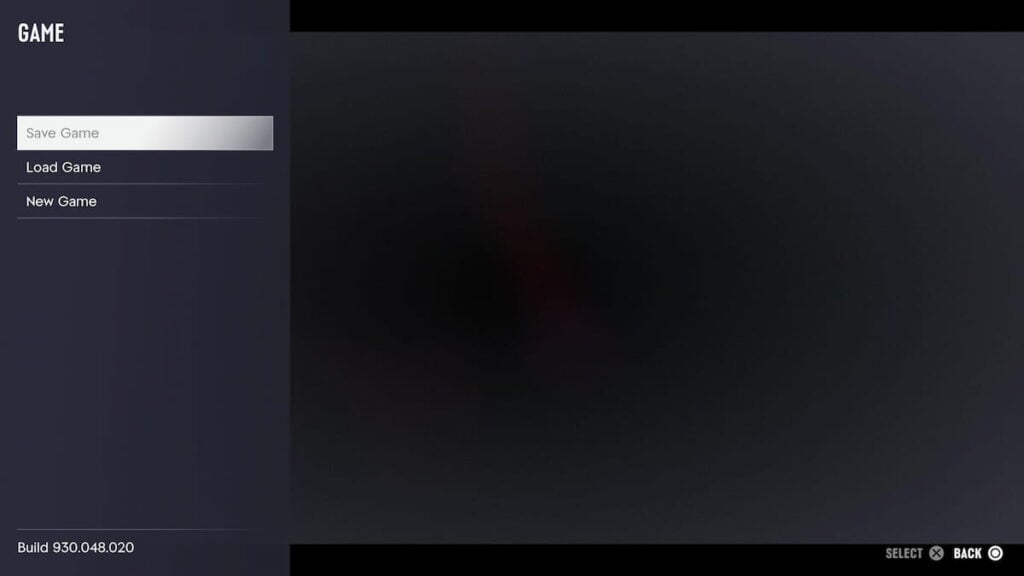
The main caveat of this is that you won’t unlock manual saving until the end of Chapter One’s first mission. Before then, if you have to stop playing or want to go back in time, you’ll need to restart your current quest or start fresh altogether. Thankfully, this also means you won’t have to wait long to unlock this feature, as the first mission doesn’t take too long to finish.

The Vice Gazette
GTA 6 news, leaks and rumours — rounded up and sent to your inbox. No spam, unsubscribe anytime.
- Release-date and trailer news the moment it lands
- Leaks and rumours, with our credibility rating attached
- Map, character and vehicle deep-dives from the wiki
You’re on the list.
The next edition of The Vice Gazette will land in your inbox.
Get the full GTA 6 Bible experience
Daily game streaks, comments, and your rumour votes saved across devices.
You’ll also find autosaves early on, letting you go back to the prologue if you want to experience it again. Otherwise, if you’re in the middle of a mission and get Wasted, you’ll go back to your previous checkpoint. That way, you won’t need to worry about losing hours of progress.
There’s 15 total manual save slots available. Although this isn’t a problem initially, you’ll quickly run out of space as you progress further into the main story. That’s not excluding optional content that you may want to save and return to later. If you’re someone that likes to save after every mission, think carefully about which points you want to revisit later, and those that you’re fine with missing out on.
Are you ready to jump in-game? Check out our complete list of GTA 6’s trophies and achievements.
About the author

Madison has been a long-time gaming fan for over 20 years ago, originating with the Heroes of Might and Magic series. Her interest in GTA began with GTA 5 over a decade ago, with GTA 6 entering the picture in 2026. She began her games journalism career in 2021, specializing in walkthroughs, how-to guides, and features. You'll also find her work at Prima Games and Destructoid.
From the GAMURS Network
Network
GTA 6 Details Reveal Massive Map, Smarter Cops, and 600,000 NPC Animations

Alleged GTA 6 Leaks Flood Social Media as Rockstar Issues DMCA Takedowns

GTA 6 is the highest-rated game of all time


Comments
No comments yet. Be the first!