
Mission 14 · Chapter 1
Deposit Cash Into BuckMe
Deposit Cash Into BuckMe is a story mission in GTA 6: Chapter 1, Just Like Paradise. Immediately after you and Lucia set up a BuckMe account in hopes of saving up funds for a Family Savings account, you’ll find a separate mission teaching you how to deposit money into the app.
Here’s a quick walkthrough for completing GTA 6’s Deposit Cash Into BuckMe mission. Be sure to tick it off on our 100% tracker once you finish it.
How to Start Deposit Cash Into BuckMe in GTA 6
Deposit Cash Into BuckMe starts automatically after completing Buck Me. While other missions in the BuckMe series have specific map locations, Deposit Cash Into BuckMe only appears in your story mission selection screen alongside Save For the Future and Earn Money.
Objectives
- Use the index or BuckMe to find nearby ATMs
Use the Index or BuckMe to find nearby ATMs
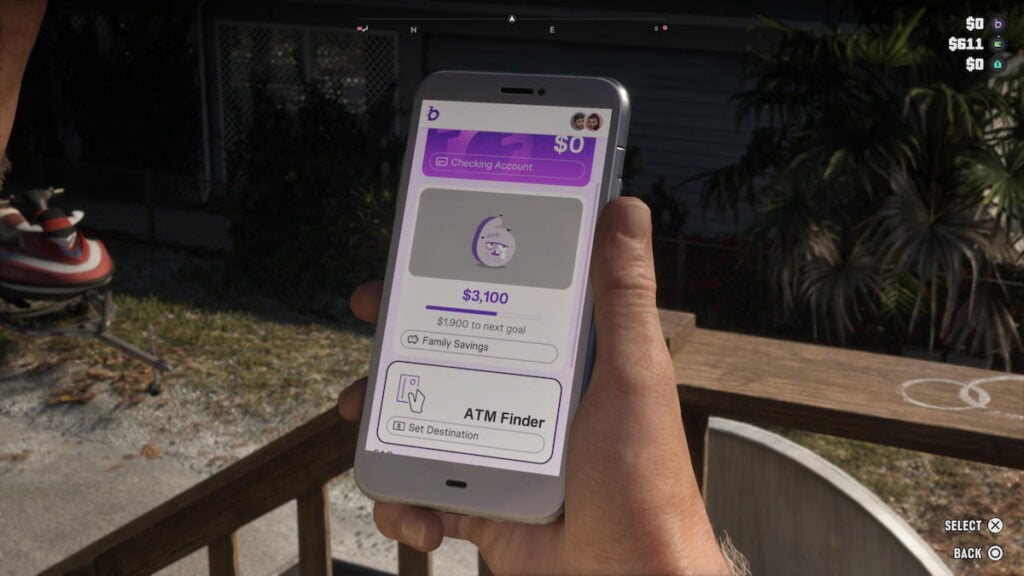
After completing Buck Me and making your new account, open the BuckMe app on your phone using the up arrow on your d-pad and scroll down until you find the ATM Finder. Select it to automatically track the closest ATM, relative to your current location. If you’re at Jason’s house while doing this, you’ll find it near the Ammu-Nation shop you visited early in game’s story.
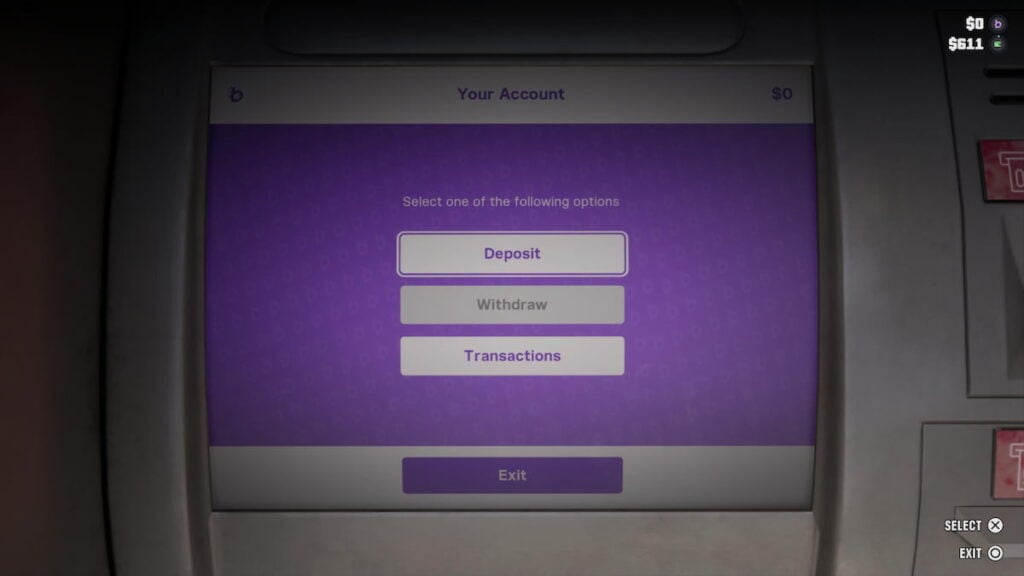
Once you begin tracking the ATM’s location, put some money into Jason’s pockets and run or drive towards it. Interacting with the ATM allows you to deposit your money directly into your BuckMe checking account. Any amount of cash deposited will complete the Deposit Cash Into BuckMe mission, while depositing at least $5000 will let you finish the first part of Save For the Future.
Although you can’t take money out of your BuckMe Family Savings account, you can withdraw from your checking account. If you deposit money into your account for safe keeping without committing to your Family Savings account right away, you’re free to do so without worrying about losing it forever. As soon as the money hits your Family Savings account, you’ll never be able to touch it again.
There’s also a $15,000 limit to your checking account. After this point, you’ll either need to keep it on your person, or transfer some of it to your Family Savings account. However, since you lose your pocket change upon death, your best bet is to spend the money, or transfer it so you can deposit more later.

Ask GTA 6 Bible
Questions about Deposit Cash Into BuckMe





Comments
No comments yet. Be the first!